For iPhone, in the UAE
A private budgeting app that shows where your money goes.
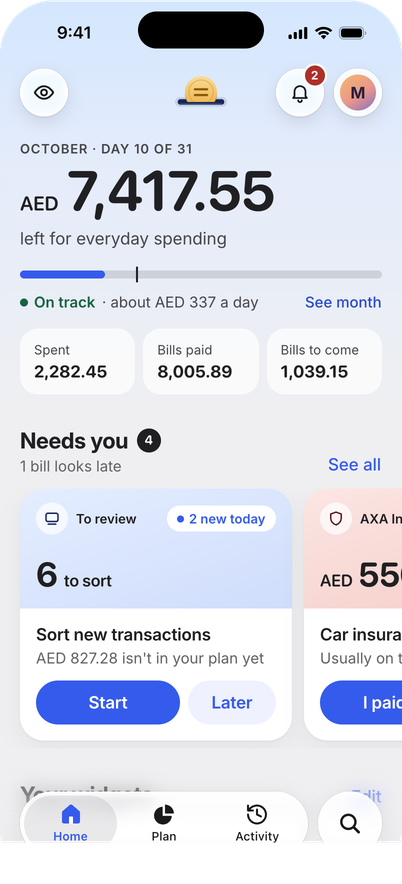
Hasala reads your bank’s alert emails in your Gmail, read‑only, and sorts most of your spending into categories. Your transactions and budget are encrypted on your iPhone, so we can’t read them.
Free during the beta.
How it works
- 1
Connect your Gmail
Hasala looks only at your bank’s alert emails, on your iPhone. It can’t send, change or delete any mail.
- 2
Check the categories
Each alert becomes a transaction. Hasala sorts most of them into categories. You confirm the rest.
- 3
See where it went
Hasala shows what you spent, on what, and what’s left this month. It also starts you on a simple plan.
Private and secure
-
Encrypted on your iPhone. Only your devices have the key, so our server can’t read your transactions or budget.
-
No bank login. Hasala never asks for your bank password and can’t move your money.
-
No ads or tracking in the app.
Banks that work today
-
Dubai Islamic Bank
-
Emirates NBD
Use a different bank? Choose “Another bank” in the form below.
Request an invite
Hasala is in an invite-only beta. When there’s room, we’ll email you an invite to install it through TestFlight, Apple’s app for trying new apps.
You’ll need an iPhone with iOS 26 or later and a Gmail address that gets your bank’s alerts. The app is in English only for now.
Now send the email.
Your email app should open with a message to support@hasala.app. Send it from the address you want your invite at: that’s the address we add to the list.
- Bank
Nothing opened? Try again, or write to support@hasala.app yourself with the email and bank above.
Nothing reaches us until you send it.